Encrypt multiple PDFs at once.
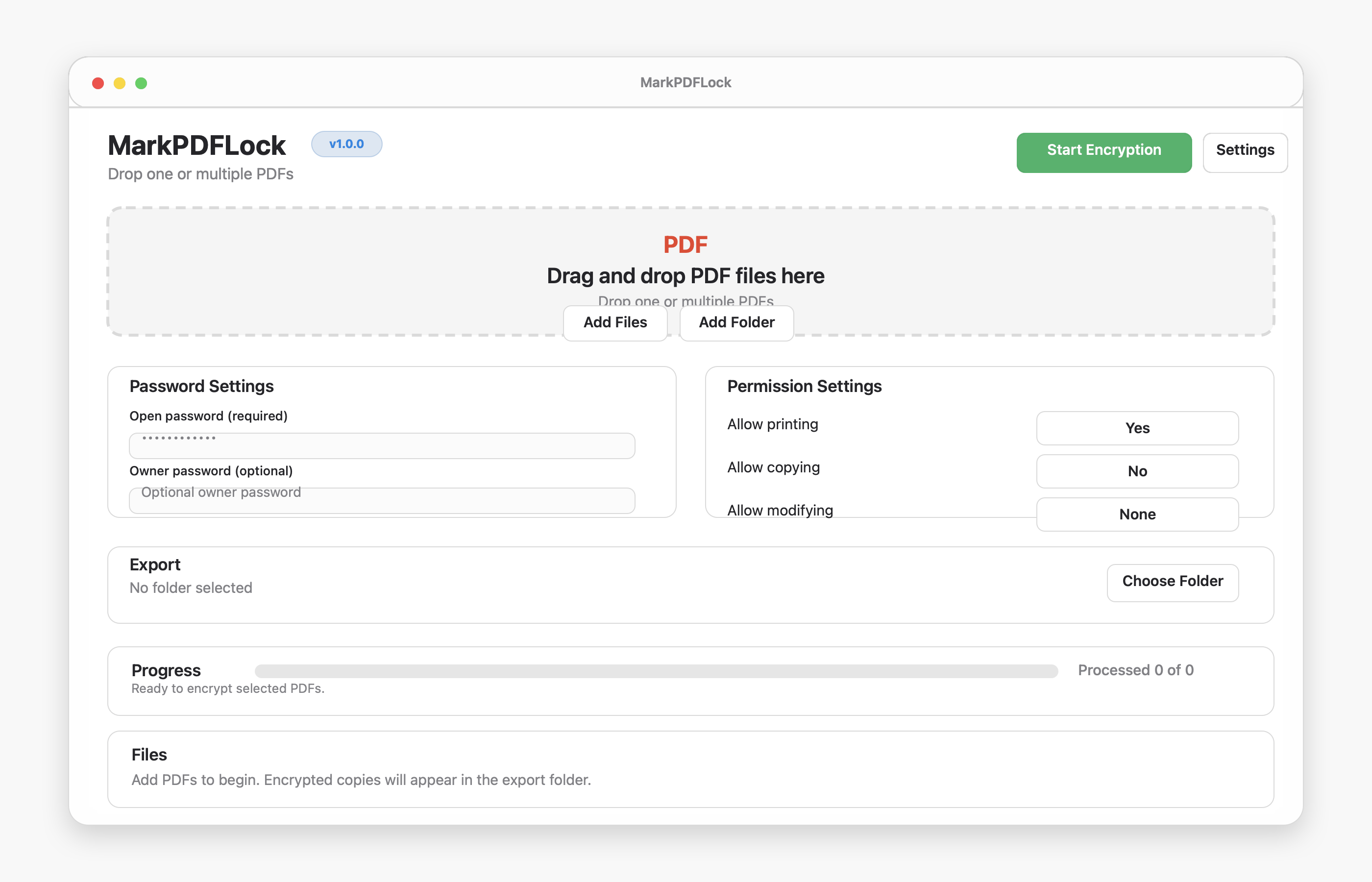
Drag in one file or a folder of PDFs and process the queue with progress for each document.
Open source macOS app | v1.0.0
Password protect one PDF or a whole batch, set printing and copying permissions, and keep every document local on your Mac.
Features
Drag in one file or a folder of PDFs and process the queue with progress for each document.
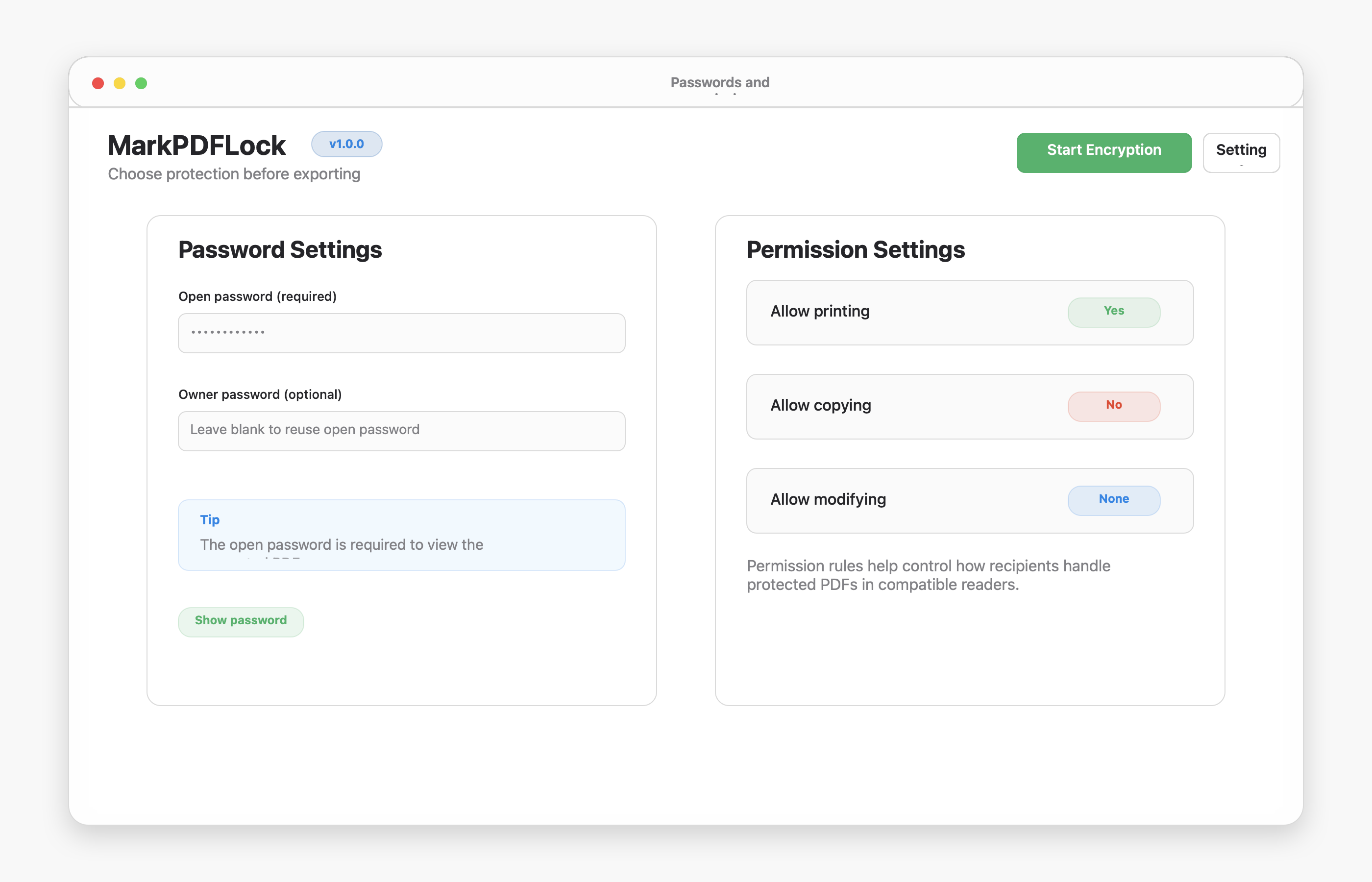
Use one password for simple sharing, or add a separate owner password for permission control.
Control printing, copying, and modification rules before exporting the encrypted PDFs.
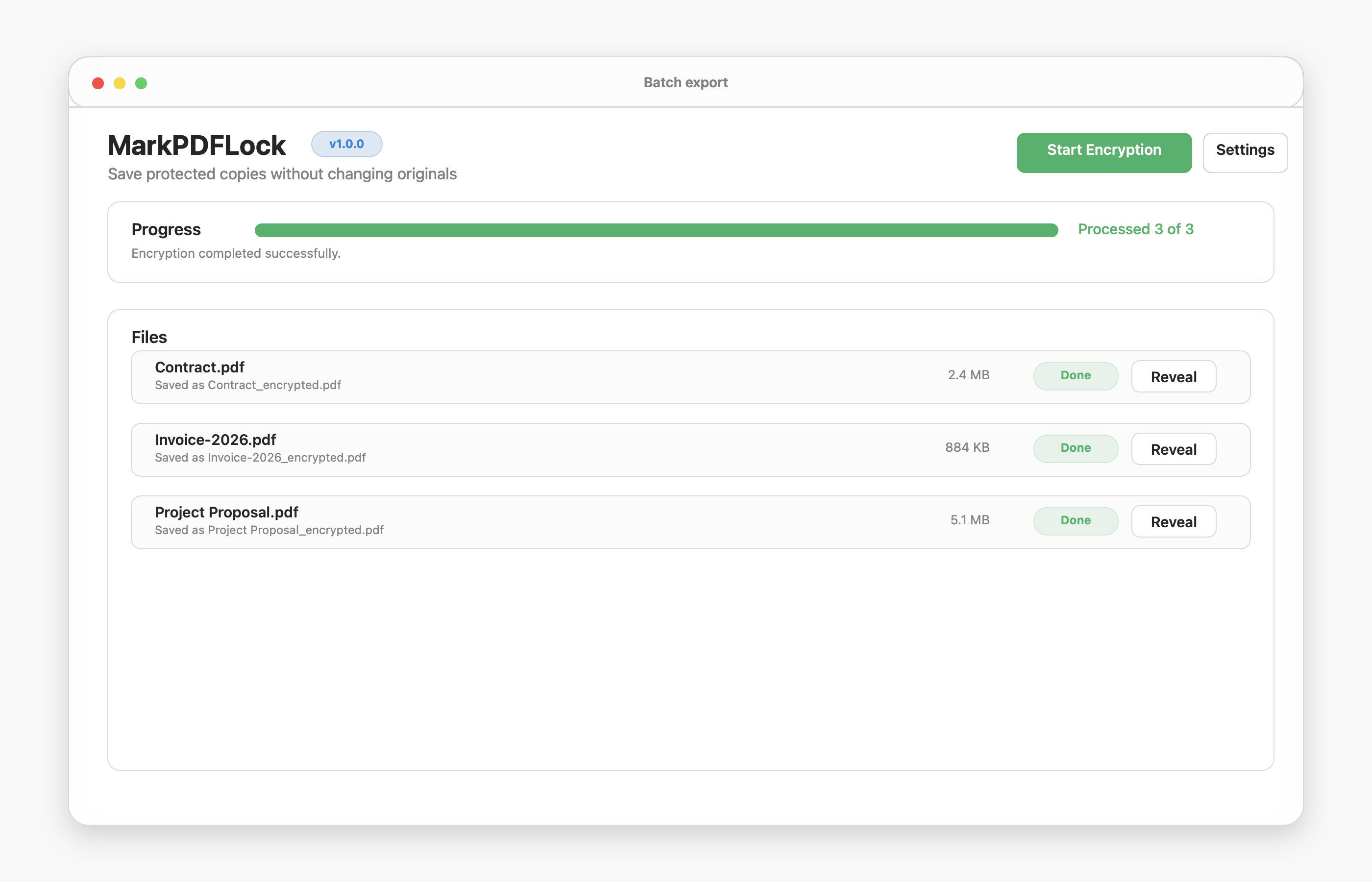
MarkPDFLock runs locally and saves new encrypted copies without editing the originals.
Screenshots
App Flow
MarkPDFLock applies modern PDF encryption settings, then writes a separate encrypted file for each source PDF.
Workflow
Drag files into the app, choose individual PDFs, or add a folder.
Enter the open password and decide whether printing, copying, or editing should be allowed.
Pick a folder and let MarkPDFLock save protected PDF copies there.
Privacy
PDFs are processed locally on your Mac.
Passwords are used only for encryption.
Original files stay unchanged.
Download
Download the macOS app from GitHub Releases. If macOS warns on first launch, right-click the app and choose Open.